

Kasa Smart Light Switch ,Swapping a “dumb” light switch for a smart one sounds simple until you’re staring at a wall full of wires wondering if this particular switch will even work with your home’s electrical setup. That’s the real question most people have before buying the Kasa Smart Light Switch HS200P3, and it’s exactly what this review answers.
With nearly 27,000 ratings and a 4.6-star average, the Kasa Smart Light Switch HS200P3 is currently the #1 best-selling switch in its category on Amazon. That kind of track record means something, but it doesn’t mean the switch is right for every home or every wiring setup. Below, we walk through what’s actually in the box, what installation really requires, how the app and voice control hold up day to day, and where this switch falls short so you can decide with confidence instead of guesswork.
Why You Can Trust This Guide
DealNesto researches every product using verified manufacturer specifications, retailer documentation, and patterns pulled from real owner feedback not just star ratings. We highlight both what a product does well and where it commonly disappoints buyers, because a genuinely helpful recommendation includes the trade-offs, not just the highlights. DealNesto participates in the Amazon Associates Program and may earn a commission from qualifying purchases made through links on this page, at no extra cost to you.
Quick Answer: Is the Kasa Smart Light Switch Worth It?
The Kasa Smart Light Switch HS200P3 is a solid, no-hub smart switch for single-pole setups where a neutral wire is already present in the wall box. It’s not dimmable, and it’s not a 3-way switch on its own — but for standard on/off lighting control with Alexa, Google Assistant, and app scheduling, it’s one of the most dependable options in its price range.
👉 Check Current Price and Availability on Amazon
What’s Actually in the Box
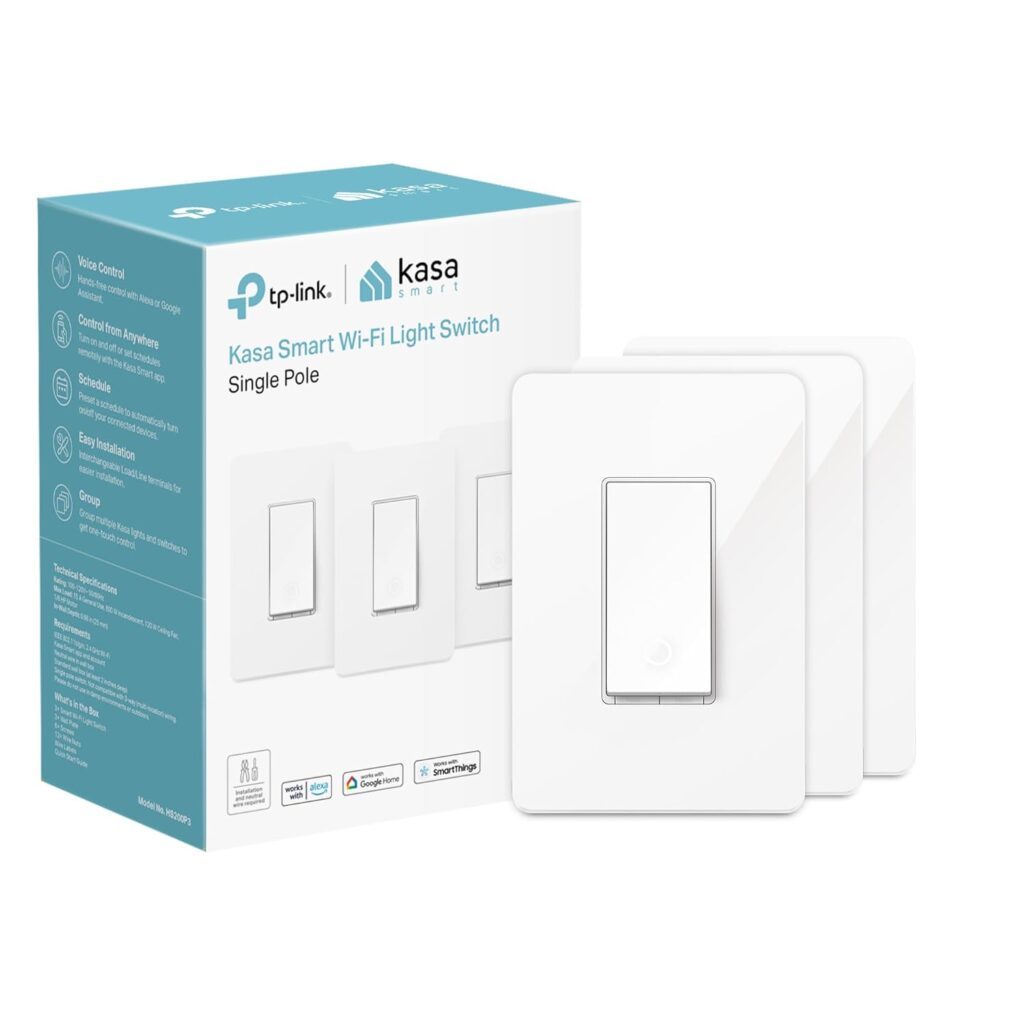
Each pack includes three identical HS200P3 switches, mounting screws, wire nuts, and a wiring label kit used during the app-guided setup. <cite index=”2-1″>The switch itself is built from polycarbonate, measures roughly 3.33 x 1.74 x 5.06 inches, and is UL certified, operating at 120 volts with a 15-amp current rating</cite>.
Physically, the Kasa Smart Light Switch is slightly bulkier than a traditional switch, so it’s worth checking that your electrical box has enough depth before buying shallow retrofit boxes can make the install tighter than expected.
Wiring: The One Requirement That Matters Most
This is the single most important thing to understand before buying: the HS200P3 requires a neutral wire in the switch box. <cite index=”3-1″>TP-Link explicitly notes the switch needs neutral wiring along with a 2.4 GHz Wi-Fi connection to function</cite>.
Older homes especially those built before the 1980s in many regions often don’t have a neutral wire run to every switch box. If yours doesn’t, this switch simply won’t work, no matter how it’s wired, and you’d need either a neutral-wire adapter kit or a switch model specifically designed for no-neutral setups.
<cite index=”3-1″>The switch is also single pole, meaning it’s designed to control a light from one location, not the classic two-switch “3-way” setup used for staircases or hallways with multiple entry points</cite>. If you need that functionality, TP-Link sells a separate 3-way kit (the HS210) built specifically for that wiring configuration the HS200P3 alone won’t replicate it correctly.
Before buying, check for:
- A neutral wire (usually white, capped separately) already present in your switch box
- Whether the light is controlled from one location (single pole) or two-plus locations (3-way)
- Enough box depth to fit a bulkier smart switch body
App Setup and Wi-Fi Performance
<cite index=”3-1″>Installation is guided step-by-step through the Kasa app, which walks you through the wiring process and connects the switch to your home’s 2.4 GHz Wi-Fi network</cite> note that it does not support 5 GHz networks, which is common across this switch category but still trips up buyers with mesh routers that don’t clearly separate bands.
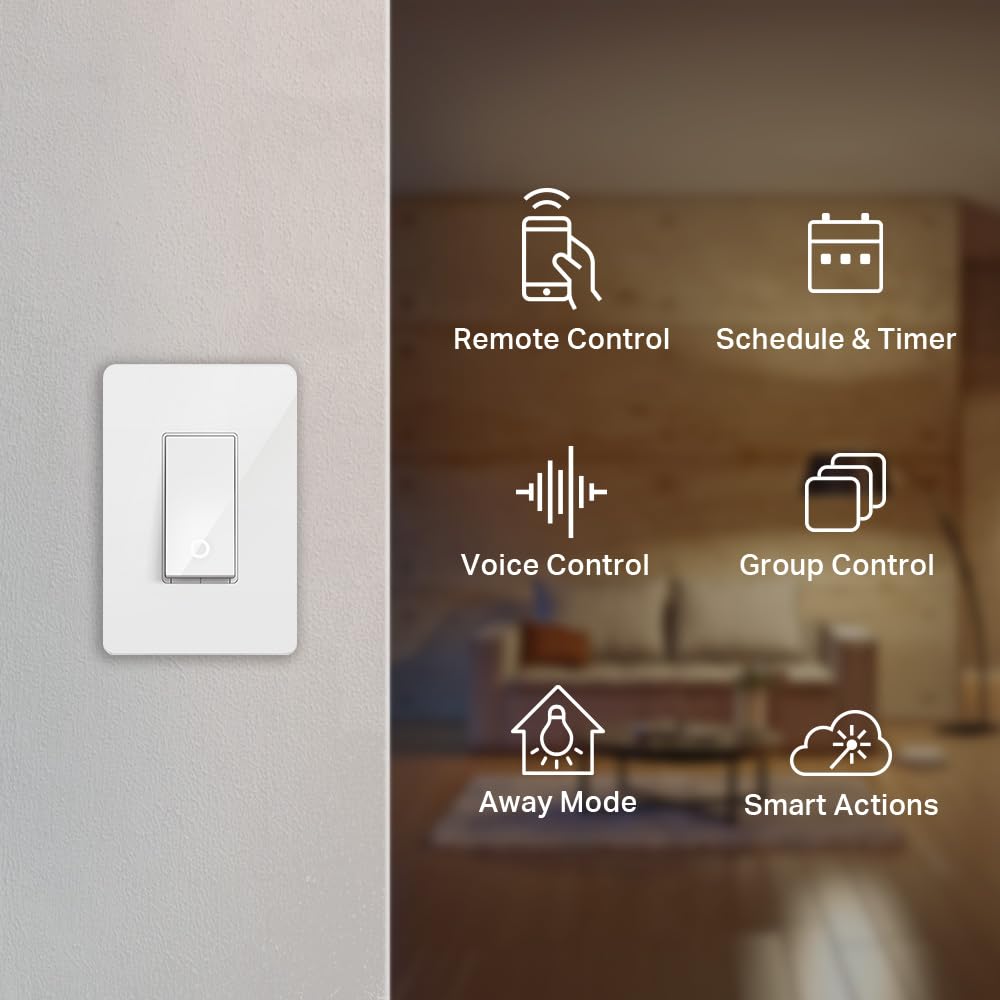
Once connected, the app is genuinely one of the switch’s strengths. <cite index=”4-1″>You can monitor light status remotely, turn fixtures on or off from anywhere, and set timer or countdown schedules for lights to switch automatically whether you’re home or away</cite>. <cite index=”6-1″>No hub or additional equipment is required the switch connects directly to your existing home Wi-Fi network</cite>.
<cite index=”5-1″>Beyond basic on/off control, the away mode feature randomly toggles connected fixtures at intervals to make an empty home look occupied</cite> a genuinely useful feature for anyone who travels regularly.
Voice Assistant & Automation
<cite index=”1-1″>The switch works with both Amazon Alexa and Google Assistant for hands-free voice control</cite>, and it also supports IFTTT, which opens the door to more advanced automations for example, triggering lights based on other smart home events rather than a fixed schedule.
In daily use, voice commands and app toggles for the Kasa Smart Light Switch respond quickly and reliably in most homes, though as with any Wi-Fi device performance depends on your router’s signal strength at the switch’s location. Switches installed far from the router or behind thick walls occasionally show slower response times or intermittent \”offline\” statuses in the app.
Build Quality and Long-Term Reliability
this switch , With nearly 27,000 ratings sitting at a 4.6-star average, the overwhelming majority of buyers report trouble-free, long-term performance. That said, a recurring theme worth knowing about: when a single switch in a multi-pack develops a fault, some buyers report that TP-Link’s warranty replacement process replaces the entire pack rather than the individual faulty unit meaning you may need to reinstall switches that were already working fine. It’s a minor inconvenience rather than a dealbreaker, but worth factoring in if you’re buying the 3-pack specifically to split across different rooms.
Firmware updates are periodically pushed through the app, and keeping the switch updated is generally recommended for continued compatibility with Alexa and Google Assistant integrations.
Pros & Cons
Pros:
- No hub required connects straight to home Wi-Fi
- Guided, step-by-step app installation
- Reliable Alexa and Google Assistant voice control
- Useful away mode and flexible scheduling
- UL certified with a 15A/120V rating for standard household circuits
- Strong long-term reliability based on a large volume of reviews
Cons:
- Requires a neutral wire won’t work in boxes without one
- Single pole only; not a true 3-way solution on its own
- Not dimmable (see the HS220 model if dimming is required)
- 2.4 GHz Wi-Fi only, no 5 GHz support
- Warranty replacements for multi-packs may require swapping the entire set, not just the faulty unit
- Slightly bulkier housing than a standard switch, which can be tight in shallow boxes
Best For
This switch is a strong match for:
- Homeowners with confirmed neutral wiring who want simple, reliable on/off smart control
- Renters or DIYers comfortable following an app-guided install (though consulting an electrician is recommended if you’re unsure about wiring)
- Households already using Alexa or Google Assistant who want voice-controlled lighting
- Anyone wanting a no-hub smart home entry point without a big upfront ecosystem investment
It’s a poor fit if you need dimming, have a 3-way switch setup without buying the correct kit, or don’t have a neutral wire available in your switch box.
👉 See Pricing and Pack Options on Amazon
Buying Guide: What to Check Before Buying Any Smart Switch
1. Confirm Neutral Wiring First
Before buying any Wi-Fi smart switch, turn off the breaker and check your switch box for a neutral wire. This single detail determines whether almost any smart switch not just this one will work in your home.
2. Know Your Switch Type
Single pole, 3-way, and 4-way switches all require different products. Buying the wrong type is the most common (and most frustrating) smart switch mistake.
3. Decide If You Need Dimming
If any of your fixtures use dimmable bulbs and you want that functionality preserved, you’ll need a dimmer-specific smart switch rather than a standard on/off model.
4. Check Your Router’s Band Settings
Most budget and mid-range smart switches, including this one, only support 2.4 GHz Wi-Fi. If your router broadcasts a combined network name for both bands, you may need to temporarily split them during setup.
5. Measure Your Electrical Box Depth
Smart switches are bulkier than traditional ones. A quick depth check before buying prevents a frustrating mid-install surprise.
Frequently Asked Questions
Does the this switch HS200P3 need a neutral wire? Yes. A neutral wire is required in the switch box for the HS200P3 to function. Without one, the switch will not work.
Can I use this switch for a 3-way setup? Not directly. The HS200P3 is a single-pole switch. For 3-way lighting controlled from two locations, TP-Link offers a separate 3-way kit designed specifically for that wiring.
Is the HS200P3 dimmable? No. This is a standard on/off switch. If you need dimming control, look at TP-Link’s HS220 dimmer switch instead.
Does it work without Alexa or Google Home? Yes. The Kasa app alone provides full remote control, scheduling, and away mode voice assistants are optional add-ons, not requirements.
Does this this switch HS200P3 support 5 GHz Wi-Fi? No, it connects only to 2.4 GHz networks, which is standard for most smart switches in this category.
Is professional installation required? Not necessarily the app walks you through installation step by step. However, if you’re unfamiliar with home electrical wiring, hiring a licensed electrician is a reasonable and safer choice.
Final Verdict
Kasa Smart Light Switch , The Kasa Smart Light Switch HS200P3 earns its best-seller status for good reason: it’s dependable, easy to control through the app or by voice, and priced reasonably for a hub-free smart switch. The catch isn’t the switch itself it’s making sure your home’s wiring actually supports it before you buy. Confirm you have a neutral wire, know whether you need single-pole or 3-way, and this switch is a genuinely solid, low-friction way to start automating your home’s lighting.